
Help Centre
How to Delete Your Account
Follow the steps below to request the deletion of your account and associated data.
You can delete your Concigo account yourself, directly from within the Concigo app. It takes less than a minute and you don't need to contact us.
Steps to delete your account
- 01
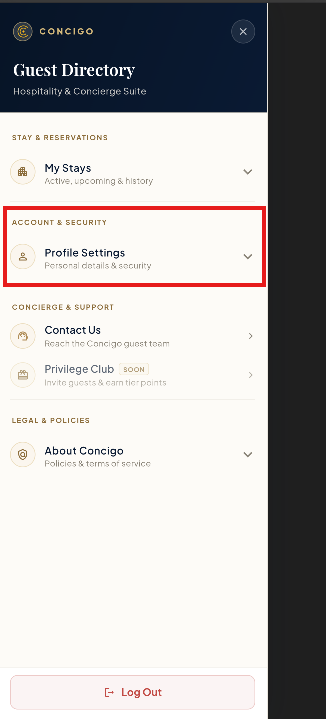
Open Profile Settings
Sign in to the Concigo app and open the Guest Directory menu. Under Account & Security, tap Profile Settings.
- 02
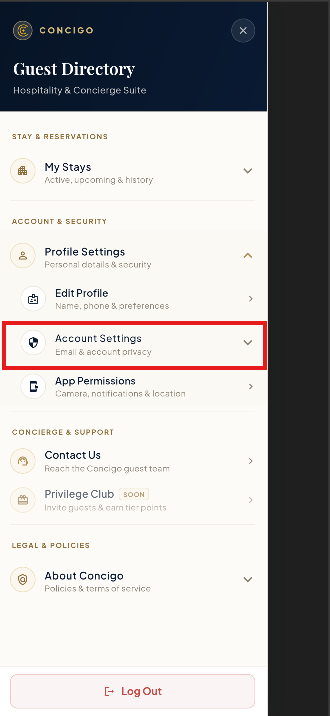
Open Account Settings
Profile Settings expands to show more options. Tap Account Settings (Email & account privacy).
- 03
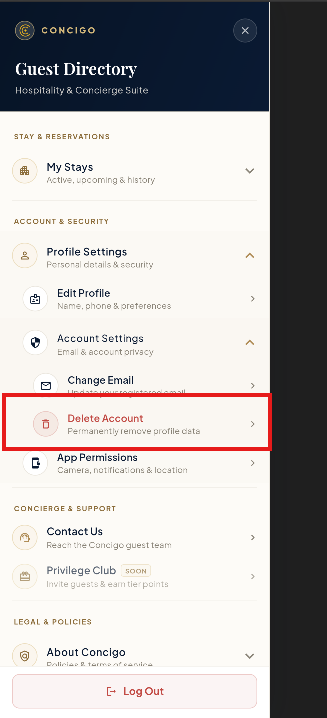
Tap Delete Account
Under Account Settings, tap Delete Account (Permanently remove profile data).
- 04
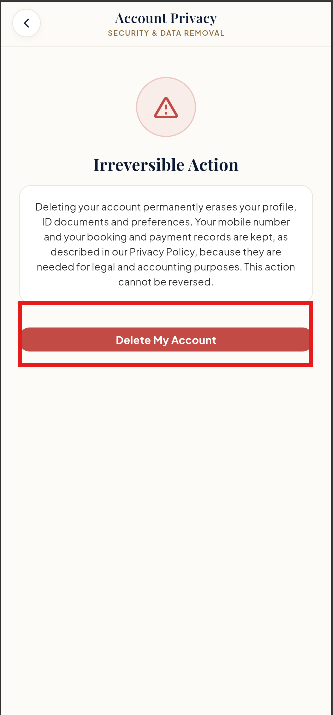
Review and tap Delete My Account
The Account Privacy screen explains what will be erased and what will be kept. Read it carefully, then tap Delete My Account.
- 05
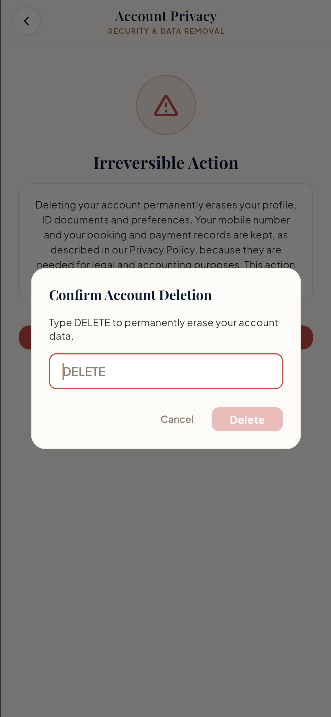
Type DELETE to confirm
A Confirm Account Deletion box appears. Type DELETE in the field. The Delete button stays disabled until you do.
- 06
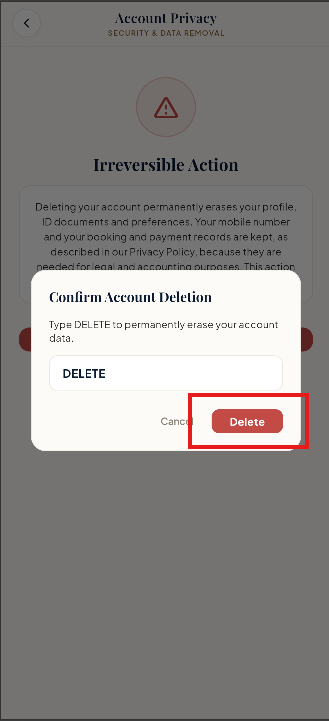
Tap Delete
Tap Delete to permanently erase your account data. If you change your mind, tap Cancel instead.
What Happens When You Delete Your Account?
- Your account is permanently removed. Deletion cannot be reversed. If you want to use Concigo again later, you will need to create a new account.
- Personal data that is erased: your profile, any ID documents you submitted, and your preferences.
- Data that is kept: your mobile number and your booking and payment records. We keep these for legal and accounting purposes, and your mobile number also helps prevent misuse of our OTP-based sign-in, as described in our Privacy Policy.
- Uninstalling the app does not delete your account. To delete your account and data, you must complete the steps above (or contact us as shown below).
Need Help?
If you can't complete these steps — for example, if you no longer have access to the app — email us at contact@concigo.in and we'll help you delete it. You can also reach our Grievance Officer at shivangi@concigo.in.